 ZesTora
Real-Time Profit Analytics
for Shopify
Stop guessing, start knowing. ProfitGuard Pro shows your true net profit after COGS, fees, refunds, and discounts — updated in real time.
Everything You Need to Maximize Profits
Powerful features built specifically for Shopify merchants
Live Profit Dashboard
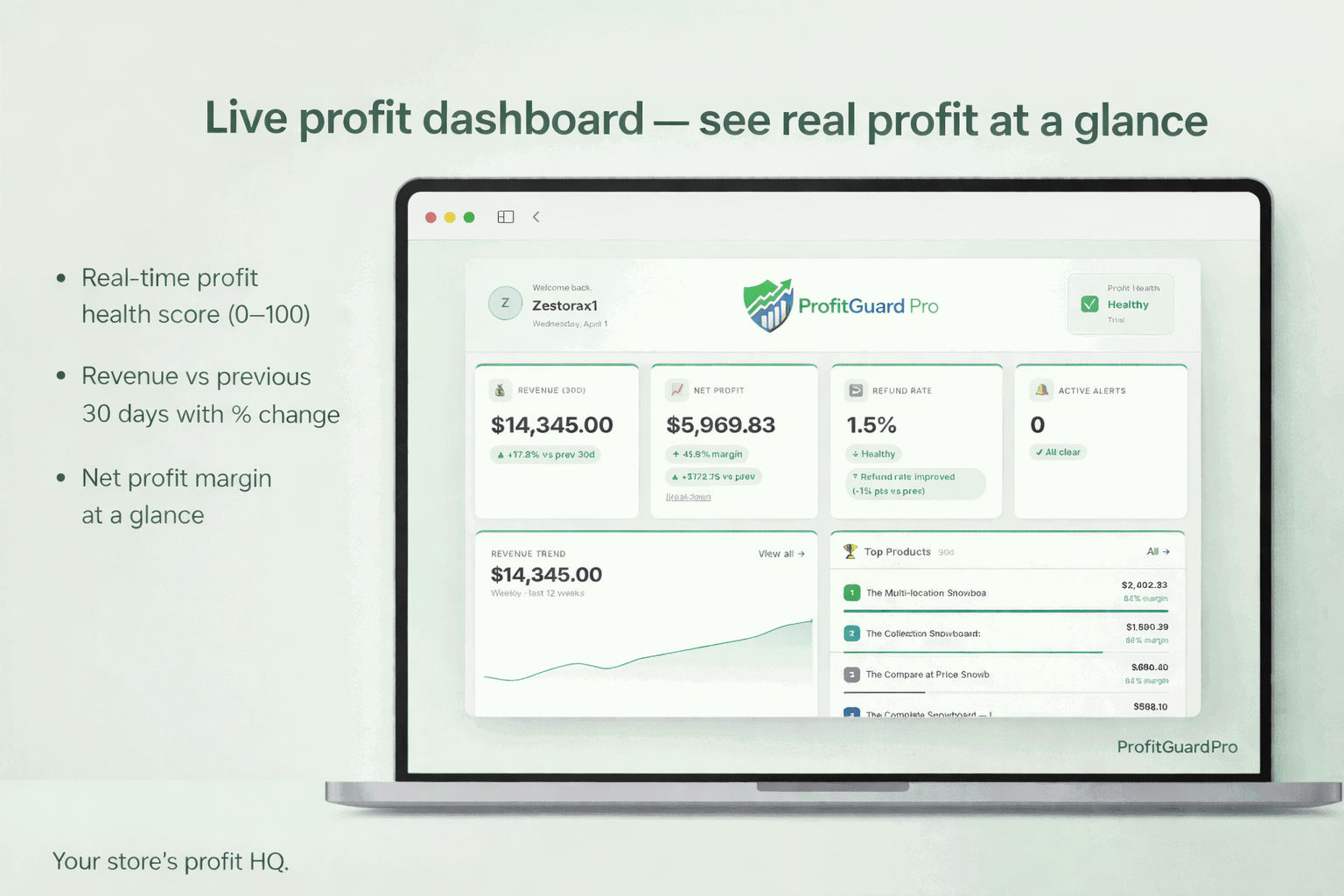
Your command center for profit tracking. See real-time health score, revenue, costs, and net profit at a glance. Updated automatically as orders come in.
- Real-time profit calculations
- Store health score (0-100)
- Daily, weekly, monthly views
- Trend comparisons

Product-Level Profit
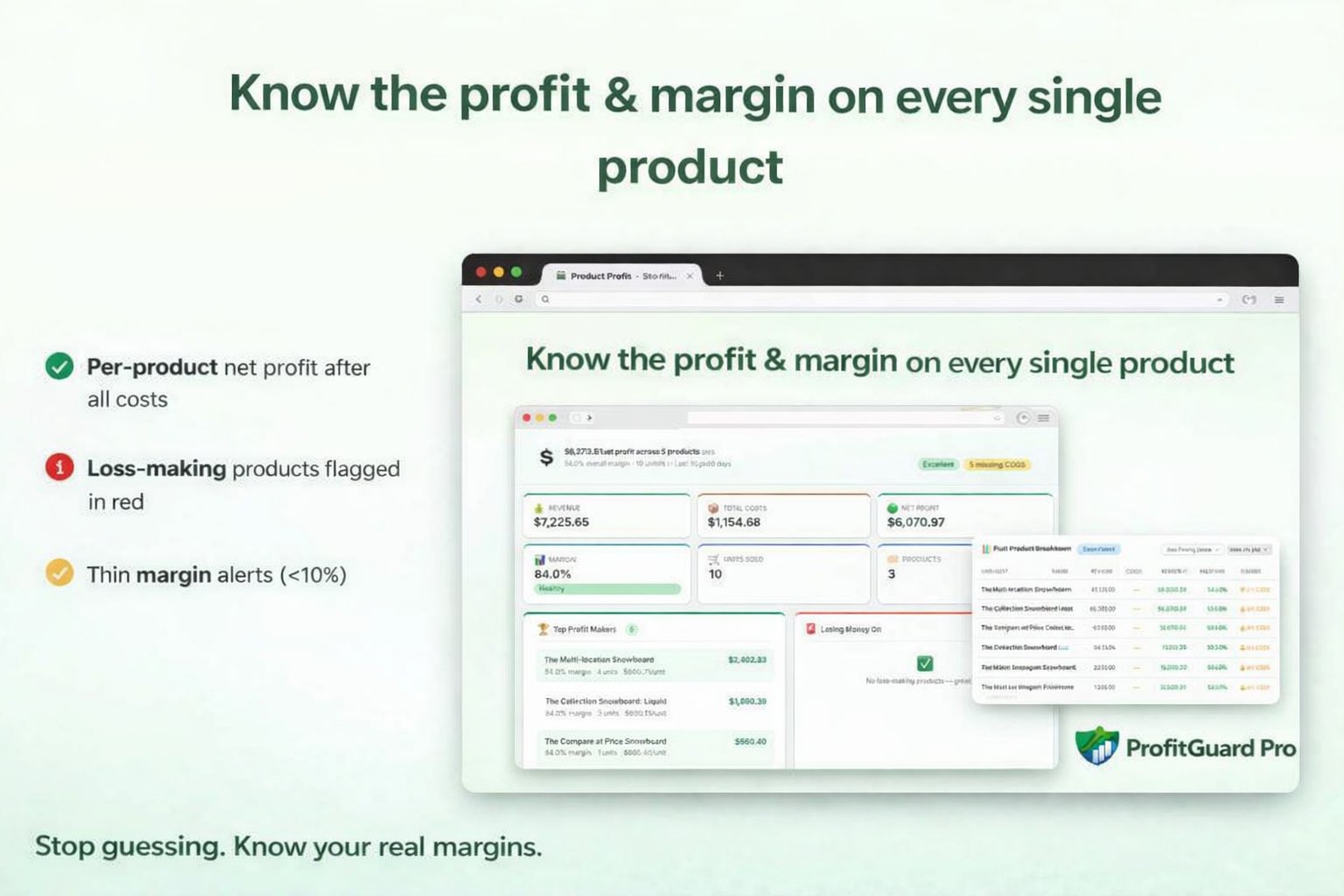
Know exactly which products make money and which ones don't. Sort by profit margin, total profit, or units sold to make data-driven decisions.
- Per-product profit breakdown
- Margin percentage by SKU
- Sort by most/least profitable
- Export for further analysis

AI Weekly Summaries
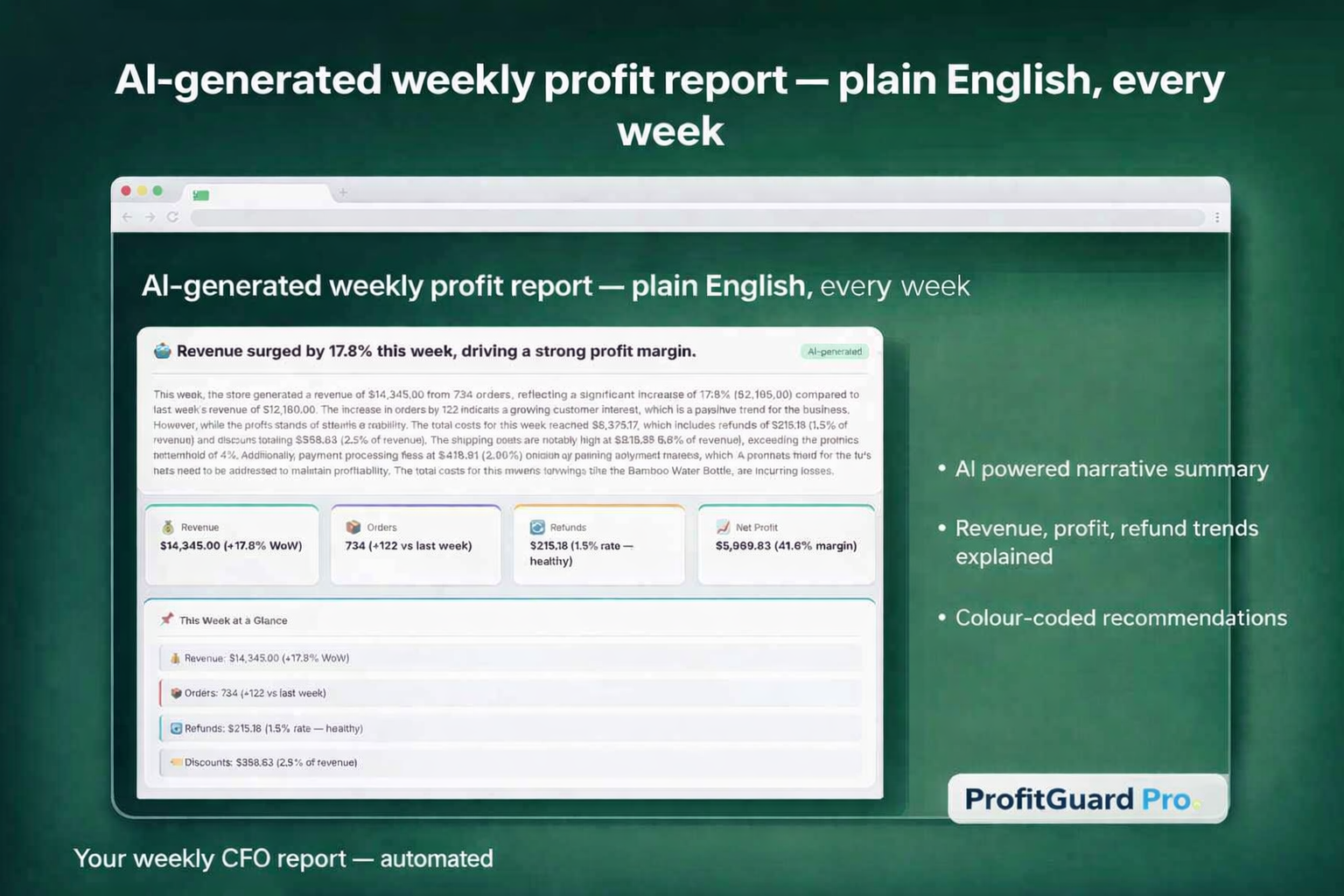
Get automated profit analysis delivered to your inbox every week. AI highlights key trends, anomalies, and opportunities — no manual work required.
- Automated weekly reports
- Key performance insights
- Trend analysis
- Actionable recommendations

Smart Alerts
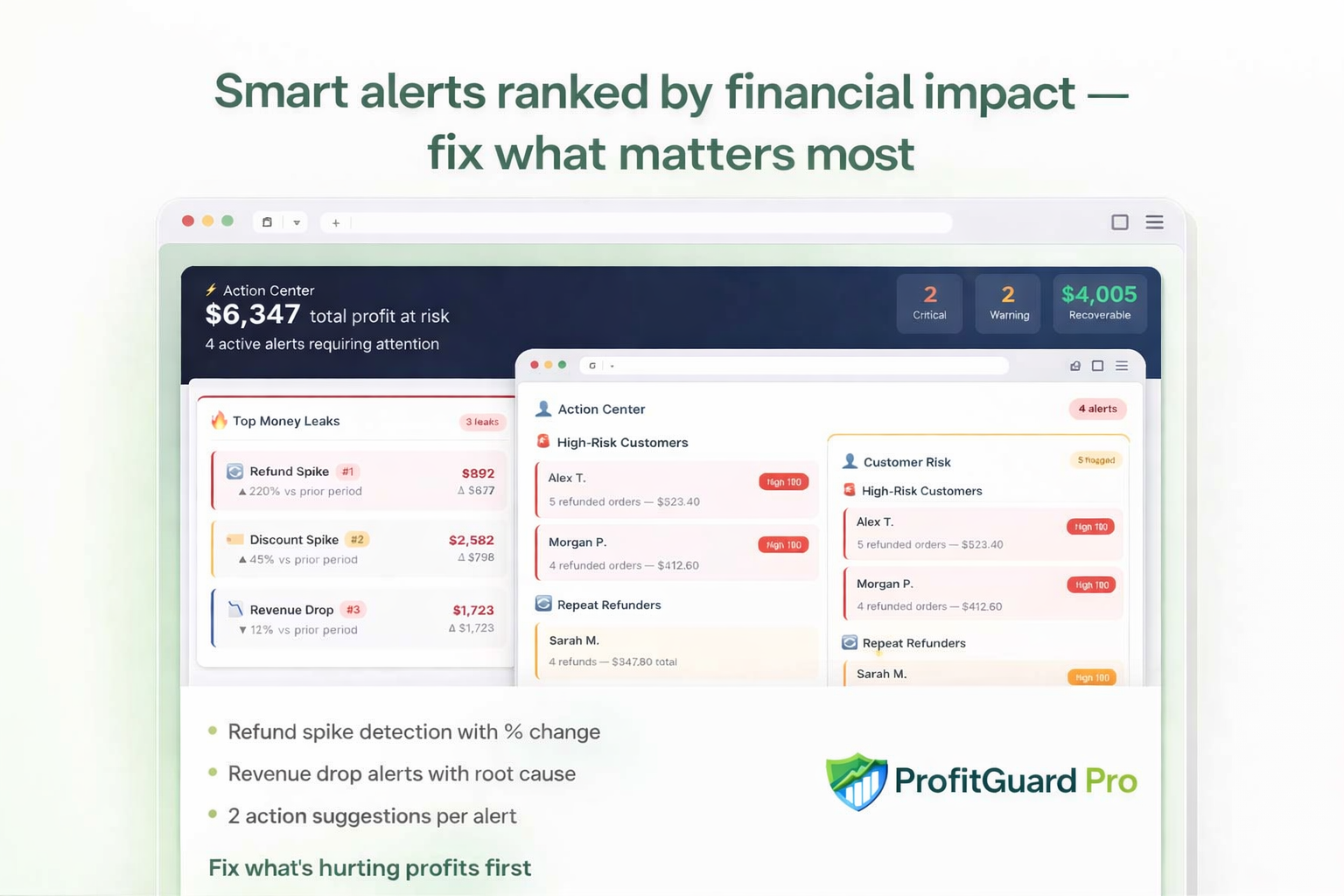
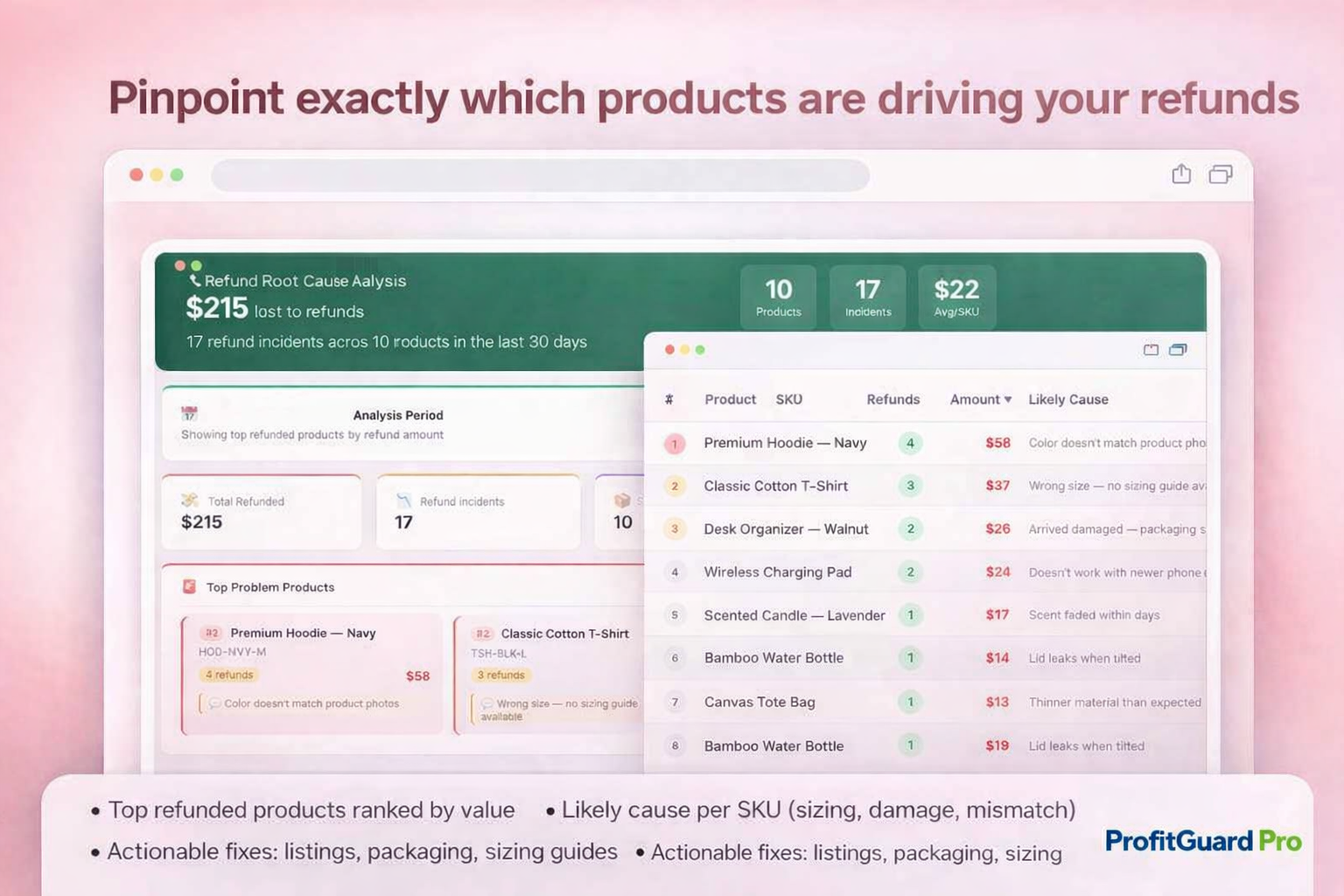
Get notified about issues before they become problems. Set custom thresholds for refund rates, revenue drops, and margin changes.
- Refund spike detection
- Revenue drop alerts
- Margin change notifications
- Email delivery
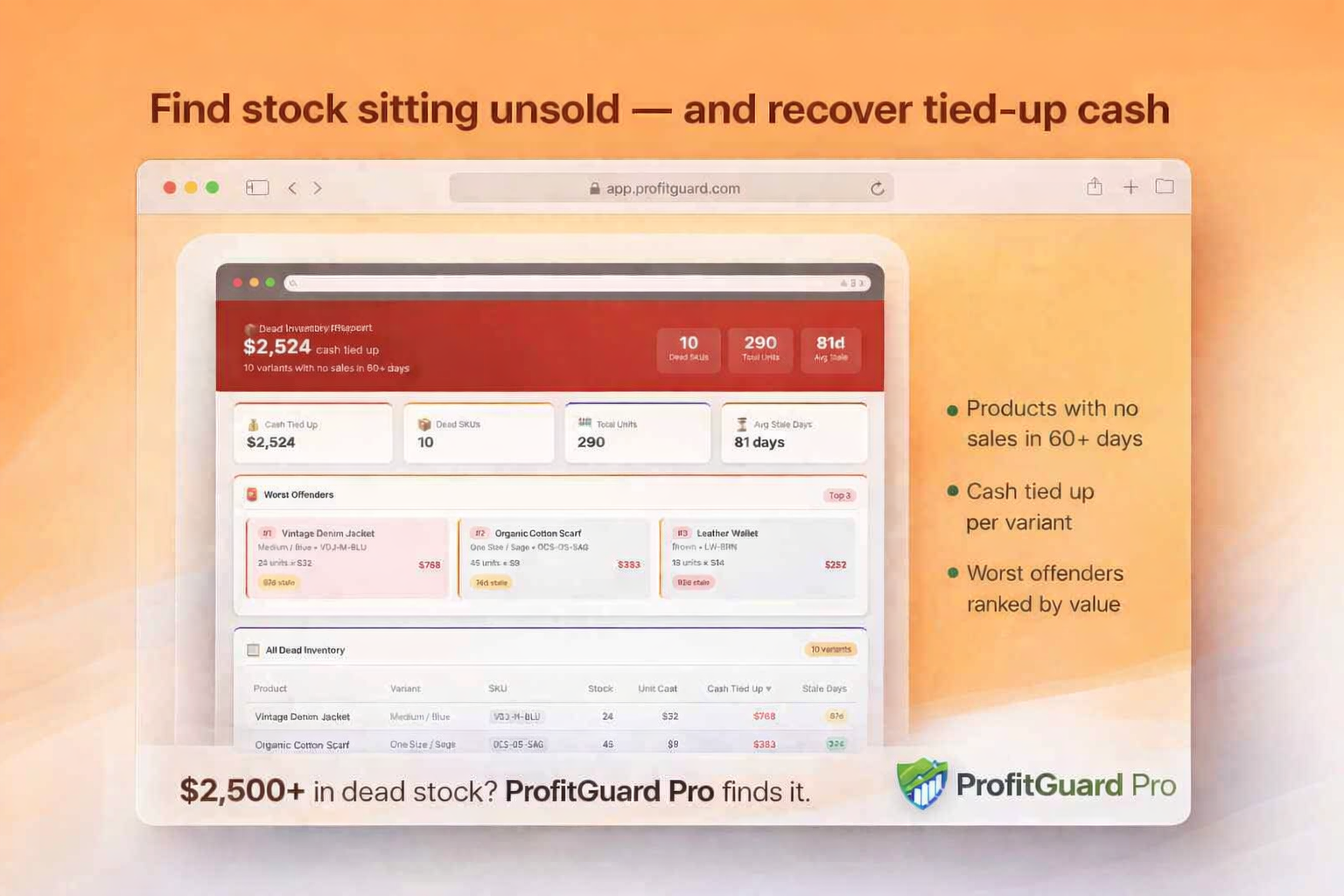
Dead Inventory Detection
Identify products sitting unsold and tying up your cash. Get recommendations to liquidate slow movers and free up capital for winners.
- Identify slow-moving stock
- Capital recovery insights
- Days-to-sell tracking
- Liquidation recommendations
Action Center
Your prioritized to-do list for profit optimization. See which actions will have the biggest impact, snooze items for later, or mark them resolved.
- Prioritized profit actions
- Impact scoring
- Snooze or resolve
- Progress tracking

How It Works
Get started in minutes, not hours
Install the App
Add ProfitGuard Pro to your Shopify store with one click from the Shopify App Store. No coding or complex setup required - just authorize and you're in.
Import Your COGS
Upload your cost of goods data via CSV, or enter costs manually. We also sync with Shopify's product cost field if you've already set it up.
See Your True Profit
Watch your dashboard come to life with real-time profit data. Get instant insights, set up alerts, and start making smarter decisions.
Simple, Transparent Pricing
14-day free trial on all plans. No credit card required to start.
Growth
Essential profit tracking for growing stores
- Live Profit Dashboard
- Product-Level Profit
- AI Weekly Summaries
- COGS Import (CSV/Manual)
- Up to 500 orders per sync
- 90-Day History
Advanced
Full analytics with premium features
- Everything in Growth
- Dead Inventory Detection
- Cause Finder (Refund Analysis)
- Custom Alert Thresholds
- Up to 2,000 orders per sync
- 6-Month History
Premium
Unlimited power for high-volume stores
- Everything in Advanced
- Unlimited Orders
- Unlimited History
- Priority Support
- Direct Line to the Founder
- Custom Onboarding
What does ProfitGuard Pro help me track?
See profit after product costs, refunds, fees and discounts, alongside product insights, alerts and an Action Center.
Where do I install it?
Install through the official Shopify App Store listing. You will need a Shopify store.
Is there a free trial?
The Shopify listing offers a 14-day trial. Review the plan and billing terms shown by Shopify before approving a subscription.
Which plan should I choose?
Compare Growth, Advanced and Premium below. Shopify shows the final subscription terms before you approve billing.
Where can I read about data access?
Read the Shopify app privacy notice and the permissions on the App Store listing.
How do I get billing or product help?
Use our support centre or email support@zestorax.com. Include your store and the issue; never send passwords or access tokens.
Ready to Know Your True Profits?
Stop guessing your margins. See real net profit after all costs. 14-day free trial, no credit card required.
Install Free on Shopify